@rpetrich Releases: OverBoard, HapticPro, ProSwitcher, libactivator and Exchange Camera Enabler

Author: rpetrich  //  Category: Apps, Development, Repository


OverBoard, my SpringBoard expose extension got a major update. New for version 1.1.4 is page reordering, badge support, many new activation methods via libactivator, the ability to become home screen, a numbered theme, sounds courtesy of WiFone, and speed enhancements/memory-use reductions! Available on the Cydia Store for $1.99
ProSwitcher is a task switcher extension that provides [...]

Continue Reading ..>>

Cydia crashing December 28th

Author: Optimo  //  Category: News, Repository

There is a problem with a particular source this morning. Signs point to it being Zodttd’s repo sending data that Cydia has a problem with. This causes Cydia to go into a crashing loop.

You should NOT need to restore your firmware to fix this problem. Please have patience, a fix is being worked on. If the coming solutions do not help there is still the possibility that a restore may be needed.


Update #1: Some good advice and instructions in the comments below. You can also try the FIXES AND SUGGESTIONS HERE, as the problem is the same as it was then. You must remove the zodttd source list that is causing the problem.

Update #2: A quick fix for some (works only if you have apt7 installed)

  • Log-in as root using MobileTerminal or SSH and run this command:
  • apt-get update
  • This will update your lists and then Cydia should work.
Continue Reading ..>>

Xpandr 1.0.2

Author: westbaer  //  Category: Apps, Development, General, Repository

New in Xpandr 1.0.2: Enable / Disable Xpandr in secure (password) textfields.
Need a default reply for mails?
Sick of typing this long text over and over again?
Constantly making the same typo?
Xpandr will fix this for you.
Xpandr is a shortcut expander for the iPhone / iPod touch. It allows you to define an unlimited number of shortcuts [...]

Continue Reading ..>>

EasyWakeup Plus for 3.x

Author: freeterra  //  Category: Apps, Jailbreak, Repository

We glad to introduce EasyWakeup Plus - smart alarm clock. This is Enchanced EasyWakeup!
Just to remind you: EasyWakeup is an advanced alarm clock for iPhone/ iPod Touch. Based on the natural sleep-phases we go through every night, the app senses when it’s most appropriate to wake you. Just set a time when you have to be [...]

Continue Reading ..>>

LibHide v2.0.1

Author: BigBoss  //  Category: Apps, Development, General, Jailbreak, Repository

A quick note on memory usage (and hopefully this is the last note on libhide for months to come). There have been some questions as to how much additional memory is used by moving libhide into mobile substrate. I would argue that the answer is none. Here is why. First, the dylib itself, only takes a few kbytes of memory while running. Whatever is required to load a dylib and it just makes a list of your apps so that would be an array of some strings. Literally less than 100k including the 15k to load the dylib into memory. The “old” method had some overhead also. Springboard, itself, had to keep a list of hidden apps. But since it was not just focused on hiding icons, it had to keep more information in this list. Restrictions block protocols so that had to be handled. The new dylib prevents springboard from having to keep track of these things freeing up that memory. It’s a pretty bold statement to say that with the new method you are using *less* memory, but I will say it is roughly the same.

Update: I have v2.0.3 done and released in the main repository for beta testing. Changes: apps should no longer all be unhidden after installing something from appstore or sync from iTunes. (Respring solved the problem on 2.0.2). I’ll probably release this publicly in a few hours After over a 1000 downloads and no complaints, I’m releasing it public now.

————

Bug Report: If you sync with iTunes or install an app or update from appstore, all hidden apps are unhidden. Solution: just respring and everything is back to normal. I’ll look into this for next version. This is due to my spotlight speed up code.

Update: I have v2.0.2 done and released in the main repository up for beta testing. Changes:

- You can now hide iPod app

- Further spotlight speed ups, in fact, I think spotlight is probably slightly faster with the extension than without because I bypass some logic. Recommend uninstall spotbright for better spotlight speed with this. It will work with spotbright, but both do much of the samething and libhide does it faster. In fact, I believe libhide’s spotlight is faster than spotlight without libhide because it cuts off some internal logic and makes everything visible.

- Added ability for an app to hide from spotlight search results or not. No app uses this yet.

————–

I believe I have solved the reported libhide issues and released v2.0.1 for beta testing. Please if you are capable of it update your libhide using this deb and then this command in SSH: dpkg -i libhide_2.0.1.deb.

Remember, as a beta tester you are expected to understand this may not be stable, although it does work for me tested on 3 devices. You must also be able to install this without help and report issues with a syslog if requested.

To use this, you will need bossprefs or sbsettings and simply hide some icons and unhide them. Note that mobile substrate safe mode should show all hidden icons, and a respring would hide them again.

Changes from 2.0:

1) Fixed speed issue of respring which was causing many older iphones to take forever respringing and in some cases, if enough hidden apps existed, go into an endless reboot loop.

2) Fixed major lag caused on spotlight

3) Added spotlight support for hidden apps. Spotbright is no longer needed. Your spotlight will be a bit faster if you uninstall spotbright if using libhide 2.0.1 or newer.

4) Fixed output bug in the update process and removed all the debug messages from the updater app (runs when you install from cydia only).

5) Added 2.x support. On 2.0 on 2.x firmware, you would have had no hidden icons.

For those of you worried about another mobile substrate addon for hiding apps, this also handles the hidden icons in spotlight so you may no longer need spotbright. That lets you remove one substrate in place of another.

Note: due to the all sources package adding my beta repository for users that were not capable of being beta testers, I have removed my beta repository and asked Saurik to update my main repository source that would force the beta repository to be uninstalled.

Continue Reading ..>>

BossPaper v0.95 In Beta

Author: BigBoss  //  Category: Apps, Development, Jailbreak, Repository

Edit (Aug 10): Added v0.99 into the beta repository as a 1.0 release candidate. I fixed a couple issues:

  • Large camera roll images are too zoomed to see them
  • Added solid color option (by request)
  • Fixed broken longer time durations (like in hours) so that the image would change even though you lock the device and load apps in that time frame.

I have done some testing on 2.2.1 with BossPaper. It *mostly* works but there are a few problems: 1) The image doesn’t stop rotating because the springboard API to detect when an app is loaded changed. 2) Some settings app gui problems 3) My routine to copy dock is broken. I am not sure how much effort I am going to take to fix these things.

As it stands, I plan to release v1.0 as 3.0 only sometime later tonight baring any major issues with 0.99 reported. So far all issues seem minor.

————–

I have released a new BossPaper to the beta repository tonight. If there are no major issues, I will open this up by adding it to the main repository later this week. There are still a few things to be done, but the major feature is added: allowing to select individual images. Here are the changes for v0.95:

  • Used better randomization algorithm. The images seemed to be repeating too often.
  • When locked, image was switching one more time. Fixed this so that the image did not switch on lock.
  • Added sequential ordering option to show images in order rather than randomize.
  • Added Wallpapers folder to images to select folders.
  • Added some explanation on dock replacement screen when winterboard is installed that winterboard will be used to replace the dock.
  • Added single image(s) selection. You can select images by browsing the folders on the flash disk. If both images and folders are selected, all will be rotated. If you have folders selected, you must delete them if you wish to show only images. You can also preview the images.
  • Made the prefs app switch paper when closed if a preference reload is required so the user “feels” like something is happening.
  • Took some extra steps to make sure no timer is running if only 1 image is selected.
  • Added a “delete all” button for image mode. (Note this button is intentionally difficult to press).

Here is the current status:

Bug Reports:

1) Icon labels are grey - Status: Investigating.This is default color of icons. Winterboard themes make this white. I have not yet decided if I want to touch this.

2) Lag introduced on springboard when not using fade transition - Status: Investigating. I cannot reproduce this at this point.

Feature Requests:

1) White icon label switch - Status: Investigating. Theoretically this could get into “let me choose the icon label color” which was out of scope for the project since it focuses on wallpapers, but I may do it anyway.

2) Lockscreen wallpaper - Status: Investigating.

3) Release for 2.2 - Status: Investigating.

4) Cube Transition - Status: Investigating. (I do not want to use any opengles in springboard).

5) Lock Screen Wallpaper With home button to change - Status Investigating. I like this idea and will probably get to it.

Issues reported closed out:
1) Cydia issue after installing BossPaper - Status: Closed. This is an unrelated issue. See other Cydia bug reports. The comments in this post (not the post itself) offer suggestions for resolving these issues.

2) Theme Icons - Status Closed. Icon theming is out of scope and makes bosspaper become a full winterboard replacement. I may, however, create something that allows for a pick-and-choose for various winterboard themes (this is on my todo list).

3) Image swaps while on lock screen - Status: Closed. This was not a battery issue. The image just changed one more time. I fixed it in the latest 0.95 anyway (mainly to avoid emails by concerned users). If this is a battery issue, I will consider it urgent for a fix.

4) Dock swap is confusing - Status: Closed. Added some text to the new version explaining that if winterboard is installed, winterboard handles the dock swap with a theme added by BossPaper.

5) Allow for sequential display not just random - Status: Closed. Implemented in v0.95.

6) Allow single image select - Status: Closed. Implemented in v0.95. In addition, you can pick and choose any number of images not just one. (Or just one if you want).

7) Import from stock wallpaper folder - Status: Closed. Implemented in v0.95.

Continue Reading ..>>

pHeety 2.0 - A portable Twitter Client for iPhone!

Author: pH  //  Category: Apps, Repository

Hey Guys, here is pH. I’ve been developing since May a cool Twitter Client called pHeety (I am pH, Twitter is Twitter, so, pH + Twitter = pHeety, :P ). pHeety is a semi-open-source project (who wants the source, talk with me and I will give or not the source) that can be ported for any [...]

Continue Reading ..>>

Cydia crashing fix for July 18th

Author: Optimo  //  Category: News, Repository

For 10 minutes on July 18th a corrupted packages file was posted. If you loaded Cydia during that 10 minute period, your packages file became corrupted. This subsequently causes Cydia to crash each time you use it.

Here are ways to fix it for Windows and Mac users:

**Update 1: crash-x has made a small update to the PDF. Please follow instructions carefully. We have confirmed reports that one or more source-repos besides TheBigBoss may be causing your problems. Removing all the lists may help.

Windows users: Download this tool for Windows (.NET required) and unzip the files to a handy location. Run the enclosed executable and connect your device to your PC. Click the button to start the fix. A confirmation screen will appear shortly when it has finished.

Mac or Windows users: This document (PDF) describes how to fix Cydia using DiskAid for Mac or Windows.

Note: This is not a fix for all Cydia issues, but only if you loaded Cydia on July 18th during that 10 minute period and now cannot load Cydia at all.

Thanks to DB42 of OpenHebrew and crash-x for the tools and instructions.

Continue Reading ..>>

iPhone 3.0 Jailbreak Out For OSX

Author: BigBoss  //  Category: Jailbreak, Repository

Edit #2: redsn0w replaces quickpwn and also handles jailbreak of iPhones without restore! (I believe the name quickpwn was retired because quickpwn.com is a stolen, fake site and the dev team does not want to support it).

Edit (June 20th): redsn0w 0.7 for 3.0 is out now! Get here

The dev team just released pwnage for OSX. So all your MAC users can now jailbreak your iphones. Note that this is pwnage not quickpwn. You can download it here. Also read the notes on the blog. Some highlights are:

* UltraSnow (3.0 unlock) is not available yet. If you have YellowSn0w, do not yet upgrade.

* If you have a 3gs, you must wait for an unspecified amount of time.

* iPod touch 2 users: Download here. If you have an iPod touch 2g, you must wait for a redsn0w update. Not ready yet.

* There is no windows version, there is no quickpwn yet. Coming later.

The basic pwnage guide should still work basically the same.

Continue Reading ..>>

SBSettings 3.0 Soon part 2

Author: BigBoss  //  Category: Apps, Development, Jailbreak, Repository

Edit: I packed this up and released it as v2.99. There are a couple more things I plan before 3.0 comes out, but this will get some good testing in. A couple notes, the install process should work, but if you have any weird problems, like respring just hangs with the respring screen up, reboot the iPhone and then send me email letting me know this happened. I am trying to avoid a reboot on install and want to make sure it’s working for the masses. Also, remember you must enable the status bar features in the more app!

Note: themes like leopard U/I that put javascript web content directly over the statusbar will prevent statusbar date and memory from showing up.

So I have still been working on SBSettings for 3.0 (and update for 2.x). In addition to the features listed in my previous post I have added:

  • You can now have more than 12 toggles. (On the 3.0 OS). When you have > 12 toggles it will let you scroll like categories app or such.
  • There is now an option to put the free memory in the statusbar. See:
  • You can now select from several options to customize the behaviors of SBSettings:
    • Enable or disable the U/I from lock screen
    • Enable or disable the U/I during calls (for those of you that kept having the U/I activate on your cheek).
    • Enable or disable the date in status bar.
    • Enable or disable the memory free in status bar.
    • Enable or disable numeric battery, wifi, or GSM (phone strength).
  • Revamped the U/I on the more - extras screen.
  • Internally, I have made the toggles SDK more extensible enabling direct access to system() calls within the toggles. I expect another small flood of new toggles like safari download, samba, or syslog toggles. These tasks were impossibly difficult on 1.x sbsettings and are now trivially simple.

Known Issues - Please READ THIS before you comment:

1) If your respring, SSH, or EDGE doesn’t work, you are one of the unlucky 3100 to get my bad pack. Reboot the iPhone and you should be ok.

2) If you hold wifi for more than 1 second to try to invoke the hold action, springboard will crash. I had debugging stuff in there that I forgot to remove. None of the toggles support invoke hold action yet anyway so there is no need to hold them.

3) If you saw fastnotes, location services, or processes uninstall on the update this is normal. They are now included in the core sbsettings.

4) I already know that there is some misaligned text on 2.0 mobile substrate screen. The font on 3.0 and 2.0 are sized differently by defaults. Will fix in next version.

5) If you are on 3.0 this will not work for you. Do not report that the more app crashes. It’s not a problem with sbsettings. It’s in your jailbreak. To properly make it work on 3.0 beta, you require a private, not yet released kernel patch and to fix your crashing on loading the more app, you need to install the package that includes dirname. (It will be installed on a real 3.0 release build). Look for one of the *-cmds packages like “adv-cmds”, “file-cmds”, “shell-cmds” or just install all 3.

Continue Reading ..>>

123Spoof MLM with Version 2.1

Author: iSpoof  //  Category: Apps, Development, General, Jailbreak, News, Repository, Uncategorized

Long time no speak everyone. We have made alot of updates and wanted to inform everyone of just a few. Firstly, our main feature Spoofing is still free so long as the calls are kept under 2 minutes. You still have to listen to a short 10 second ad before your call is placed but [...]

Continue Reading ..>>

BigBoss Repo now has Comments

Author: BigBoss  //  Category: Development, Jailbreak, News, Repository, Uncategorized

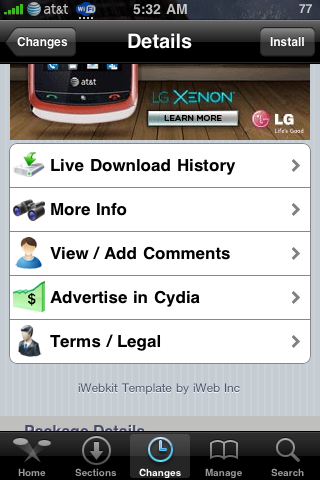
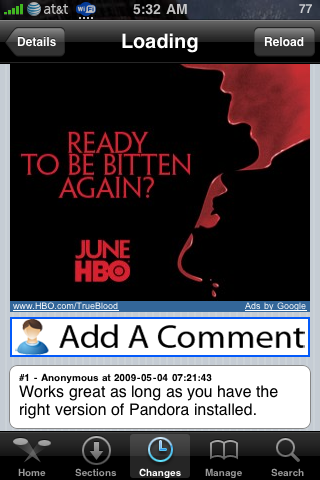
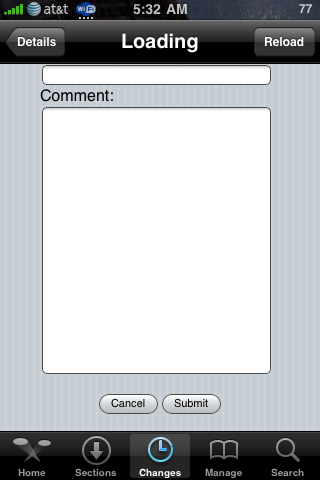
I have added a comments section to my pages in Cydia. It’s on the new styled depiction pages. You can view the comments in most recent to oldest order and add your own. I have infrastructure to add ratings as well but left it out for now as Saurik says he’s adding this himself. See screenshots of Cydia:


Continue Reading ..>>

New Skype app having problems on Jailbroken phones?

Author: ranova  //  Category: Apps, Development, Jailbreak, News, Repository, Uncategorized

-

Update (April 2, 2009 by BigBoss) I just pushed an update to Crash-X’s VoIPover3G v1.0.2 that will enable skype in the plist for you. No need for editing plist files just update the VoIPover3G app.

-
Update (April 1, 2009 by BigBoss and ranova): Saurik just released mobilesubstrate 0.9.2805-1. This version fixes the problem entirely allowing for mobilesubstrate addons to work with Skype app. You can now use Skype app with VoIPover3G! -
Quick Tip: The voipover3g string for Skype is: com.skype.skype -All lowercase. You must add it in the VoIPover3G.plist located in /Library/MobileSubstrate/DynamicLibraries/
Full Guide to add Skype to voipover3g

Latest clippy and keyboard custom sounds now also seem to work with Skype using the latest Mobile Substrate update. If you are still experiencing crashes when you open up the keyboard, disable these two components.

If you are still experiencing crashes with the new Mobile Substrate and have disabled clippy and\or custom keyboard sounds, make sure to check other mobile substrate extensions or apps that run in the background and disable them. They may be still conflicting with how Skype runs. This is not a Mobile Substrate problem, but a problem with the extension or app itself and the author of it will have to update it. I had no problems using Clippy, Cydelete, Cyntact, Five Icon Dock, QuickGold, SBSettings, VoIPover3G, and Winterboard as mobile substrate extensions.

Known extensions or apps that cause skype to crash: mcoolphone, mobilelog, AdvLock, Hood, and Intelliscreen (it may work if you mess around with the performance settings in Intelliscreen).
You can check what mobileSubstrates extensions you have running and installed by looking in the folder:
/Library/MobileSubstrate/DynamicLibraries/

If you use Intelliscreen, From User Daron:

Eventually, I discovered that Skype would launch if I *disabled* IntelliScreen. I then tried to disable some of the IntelliScreen Performance extensions (Backgrounder, FileSchemaMobileSafari, MailToAttachmentMessageUI, PrefHooker-iKeyEx, SBHooker-iKeyEx, SBSettings, Veency, VoIPover3G, WinterBoard) and discovered that the culprit was Veency.

Thank you Saurik and everyone else that posted comments that helped us figure out the underlying problems.
-

Update (March 31st, 2009): Saurik has released a new mobile substrate and the issue is fixed. No need for intelliscreen or any other hacks. Just update mobile substrate from cydia. Update to v0.9.2803-1 (or newer) of mobile substrate.

To fix the Skype crash, all mobilesubstrate based hacks are disabled on the Skype app. This means you cannot use voipover3g or backgrounder with Skype app. Do not ask how to do it or point out that it doesnt work. The developer of mobile substrate has already stated that it will not work.

-

The highly anticipated app for the iPhone has just been released in the US:
Skype in the AppStore.

Now the bad news. It seems that all jailbroken phones do not play well with the Skype app. I had problems getting it to work at all, the app would crash when you try to use the keyboard to login to the app. I later found out, through trial and error, the culprit for keyboard crashing is Custom Winterboard Keyboard Click Sounds and Clippy. Getting rid of the keyboard custom clicks (tock.aiff) seems to work with regular themes. Using SBSettings Clippy toggle to switch it off seemed to do the trick also.

That problem, while small and fixable, is not the biggest problem. Skype seems to freeze within 30-50 seconds while in the app - no matter what you do (calling, idling, chatting, etc). I went into safe mode using SBSettings and tried out Skype - to my surprise, everything worked perfectly - I used it to talk to my friend for about 20-30 minutes. I decided to do a little bit more troubleshooting - deleting mobile substrates one by one to see if it helped or not, and then deleting them all. Nothing seemed to work, the app would still crash within one minute.

I decided to run SysInfoPro and compare running processes (non-mobile substrate) between safe mode and regular mode. They both had the exact processes running at the same time.

Although I didn’t delve much deeper into the problem (could have tried using Top and system logs), I have come to a conclusion that Skype crashes ONLY on jailbroken iPhones. I had a couple friends try it on their newly restored iPhones, and they worked flawlessly. Other people from multiple forums have also said it crashes non-stop for them (their iPhones also jailbroken):

“I managed to download skype and tested myself. It is buggy and all the symptoms the same as described by ranova. I have tried it on a 1G phone newly updated to 2.2.1 jailbroken. The only apps I have installed is sbsettings, ierase, nimbuzz, and skype. It still crashes after 30sec or so. It has got to be the phone that is jailbroken. I have nothing on my phone other than what you get after you jailbreak.” - duceduc

“2.2.1 jailbroken 3g here. It crashes after 30 - 60 seconds.” - jgsx

“Confirmed - Crashes like every minute.” - Zazox

Let’s hope this isn’t an attempt from Apple or Skype to cause apps to crash only on jailbroken phones (to deter the use of voipover3g). [end conspiracy theories]
Update: Saurik has just updated regarding reasons behind the crashes:

“Skype seems to be using some kind of /awesome/ DRM that involves them having an entire replacement binary somehow inside of it: the one on disk doesn’t link against /anything/ ;P. Whatever its doing, though, involves stressing dyld in some weird way.

Interestingly enough, its not anything MobileSubstrate does to the code: its just it existing in the process before it loads its replacement. (Which is extra weird, as the new MobileSubstrate links against almost nothing: just CoreFoundation.)”

So what we know so far:

  • If Skype crashes when trying to input text: Disable both clippy (Use SBSettings toggle) and any custom Winterboard sounds relating to the keyboard tick (tock.aiff).
  • If Skype crashes within 1 minute of having the app open: Update your Mobile substrate via Cydia. The latest version (April 1st, 2009) allows mobile substrate to play nicely with Skype. Thanks Saurik!

Temporary fix that allows mobile substrates extensions (voipover3g, backgrounder, winterboard) to run, from Autotrade at Engadget:

“For people having crashes (especially the 1 minute thing) use this FIX: I had to enable in Intelliscreen, Performance, App Boost ON and select the apps below (in my case I set Backgrounder and VoipOver3G both to ON). That fixed it, no more crashes at all, tested this on 2 iPhones.”

Well there you have it, Skype on the iPhone is amazing - sound quality sounds better than regular cell calls. I briefly tested it on T-mobile’s EDGE network (using voipover3g) and for the 30 seconds that it lasted, there was no noticable lag and quality was great! I look forward in using Skype as a regular VoIP app. Thanks for all the comments and thank you saurik for looking into this.

Continue Reading ..>>

iPhone OS C/C++ Compiler

Author: pH  //  Category: Development, Repository

Hey guys! Here is pH. I’m new here and I’ll post all my tools here. BigBoss is hosting everything on the repo (thanks, :) ) and, if you want, click here to visit my english blog (ipHrojects) or click here to visit my brazillian blog (iBlogeek).
My first public tool is called iPhone OS C/C++ Compiler. [...]

Continue Reading ..>>

iSpazio Source Should Be Up

Author: BigBoss  //  Category: Jailbreak, Repository

I believe the iSpazio source should be up if you update the source package to v0-3.1 or newer. He had some domain issues and his domain, ispazio.net seems to be “lost”. The package update just updates the source to use one of his other existing domains.

Continue Reading ..>>